Token - Queue Management System
Efficient Token Management for Modern Healthcare
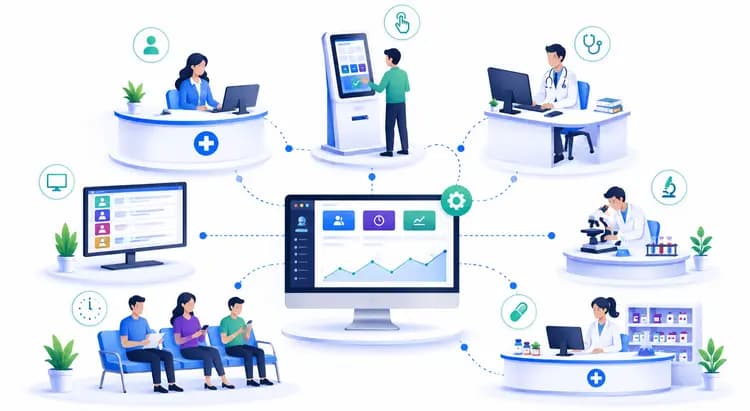
Manage hospital queues from reception, kiosk, doctors, pathology, radiology, pharmacy, and TV display screens with one real-time token workflow.
Token - Queue Management System
Manage hospital queues from reception, kiosk, doctors, pathology, radiology, pharmacy, and TV display screens with one real-time token workflow.

Create shift-wise tokens, assign doctors and rooms, and keep unassigned visits visible for reception follow-up.

Move patients through doctor, pathology, radiology, and pharmacy queues using FIFO order across floors and departments.

Reception can call, recall, skip, hold, transfer, and update tokens while TV displays refresh automatically.
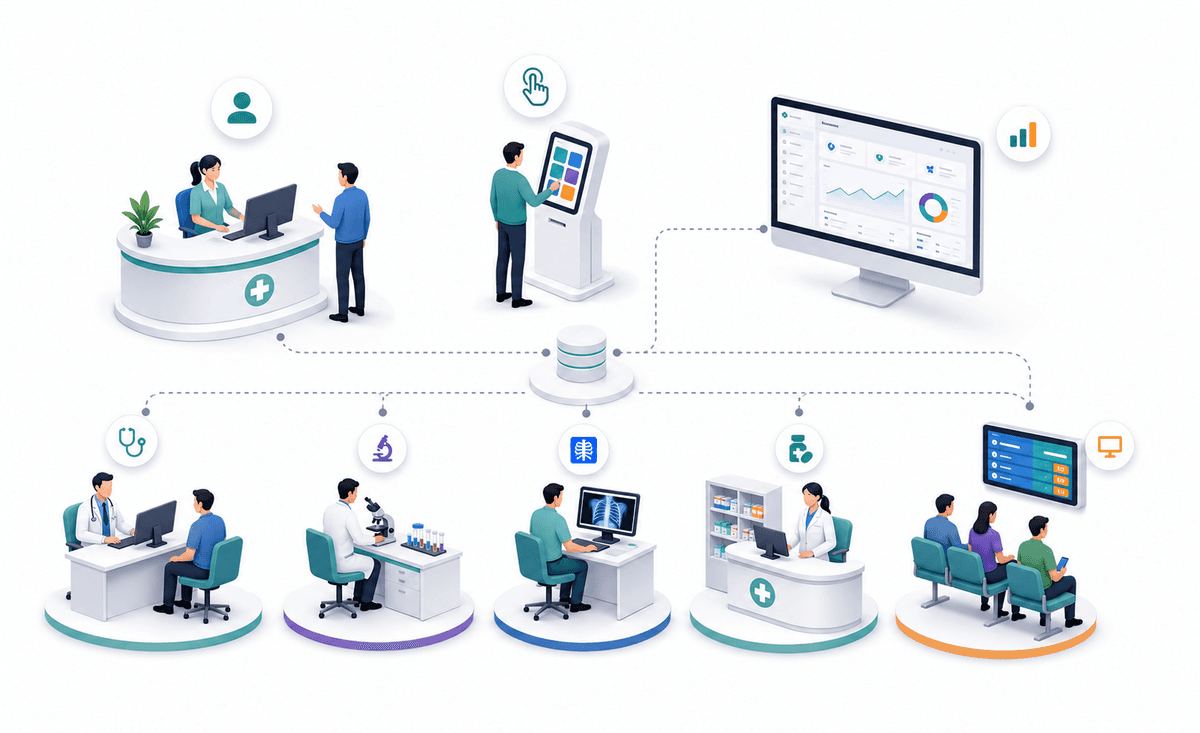
Front desk staff can generate patient tokens by shift, choose the department, assign a doctor when known, and keep tokens without a room in a separate worklist. The same structure supports kiosk-generated visits and direct department registration.
Open reception
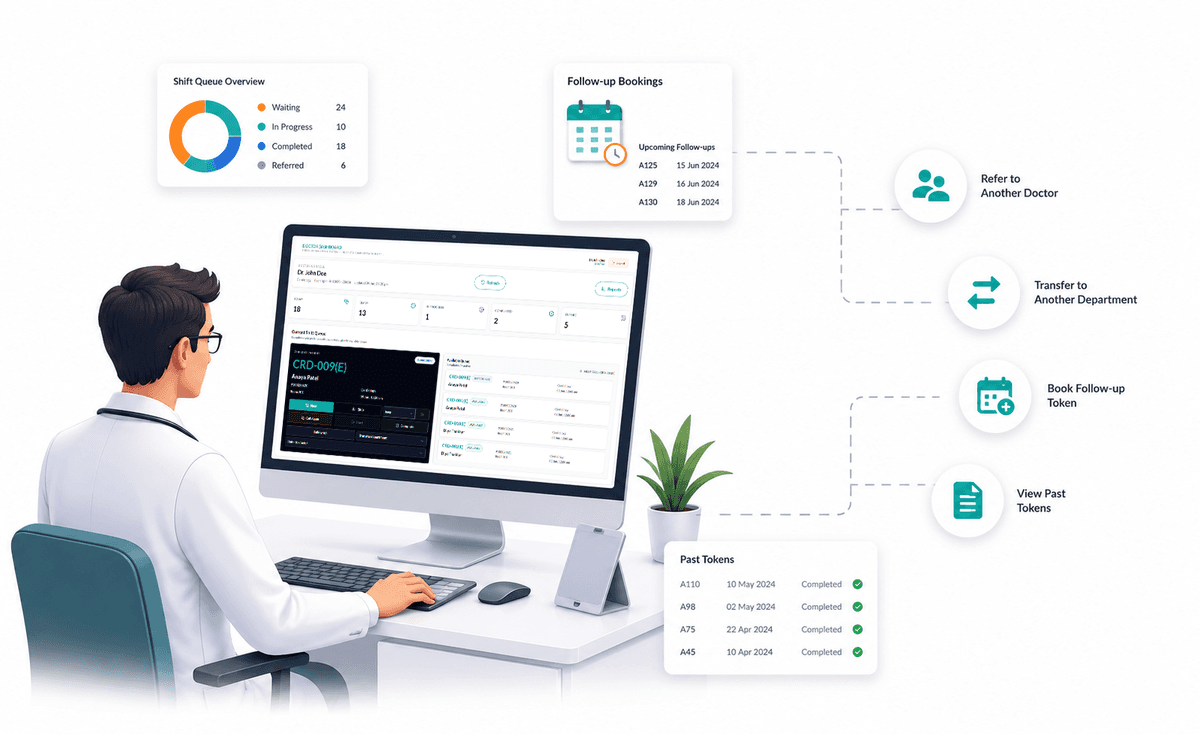
Doctors see their shift queue, referred patients, completed visits, future follow-ups, and past tokens. They can mark progress, transfer to another department, refer to another doctor, and book date-based follow-up tokens linked to the original visit.
Doctor dashboard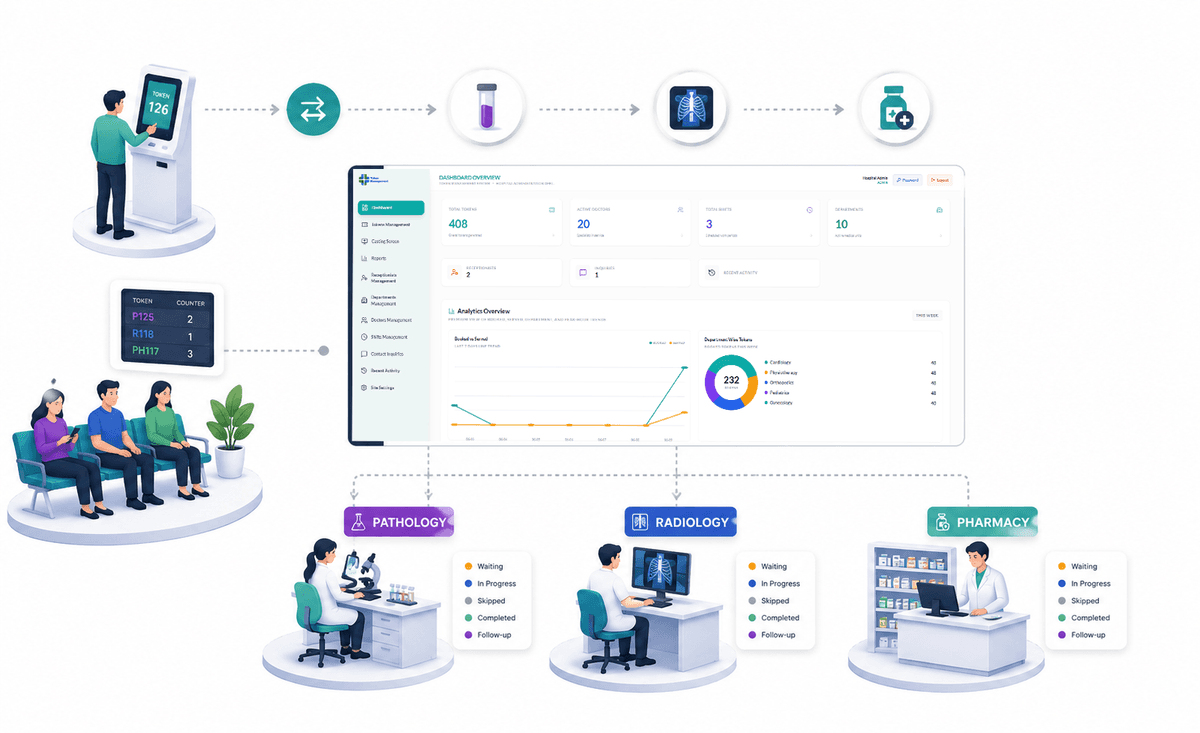
Tokens can be transferred into service departments and handled in FIFO order. Each department keeps its own waiting, in-progress, skipped, completed, and follow-up states so patient movement stays traceable.
View tokens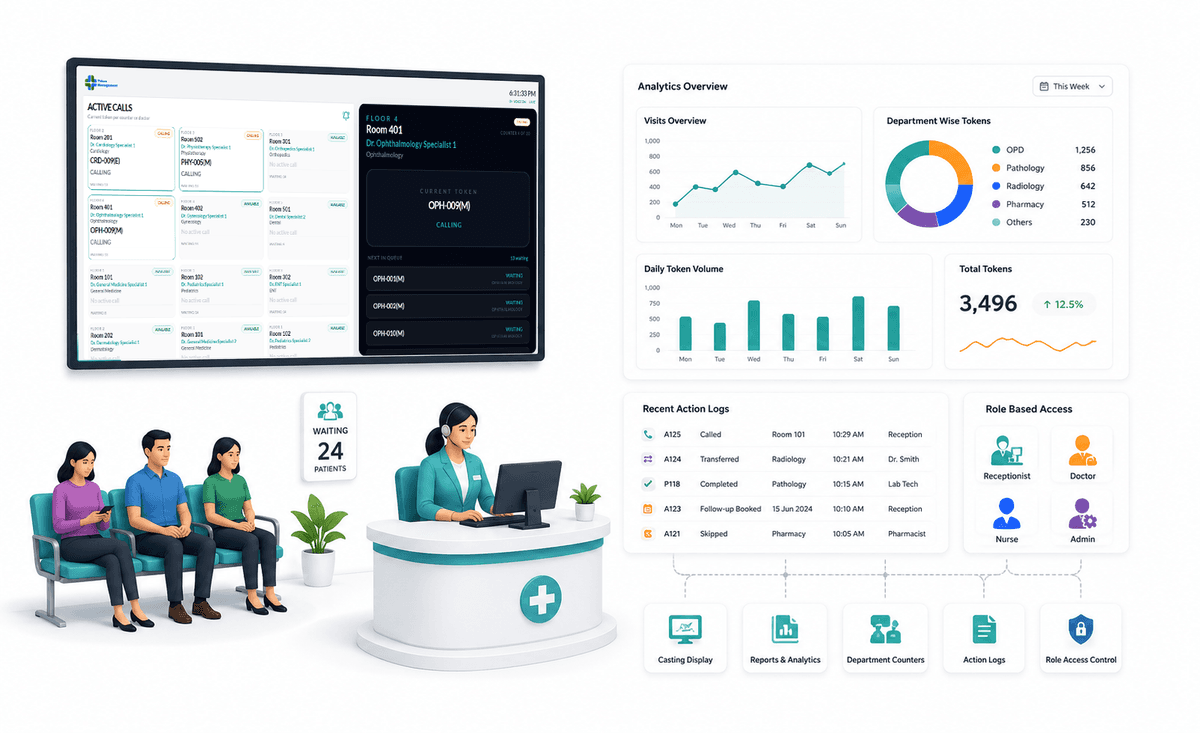
The receptionist casting screen shows current calls and rotating room-wise waiting tokens. Action logs, department counters, role-based screens, and analytics-ready data help administrators monitor daily hospital operations.
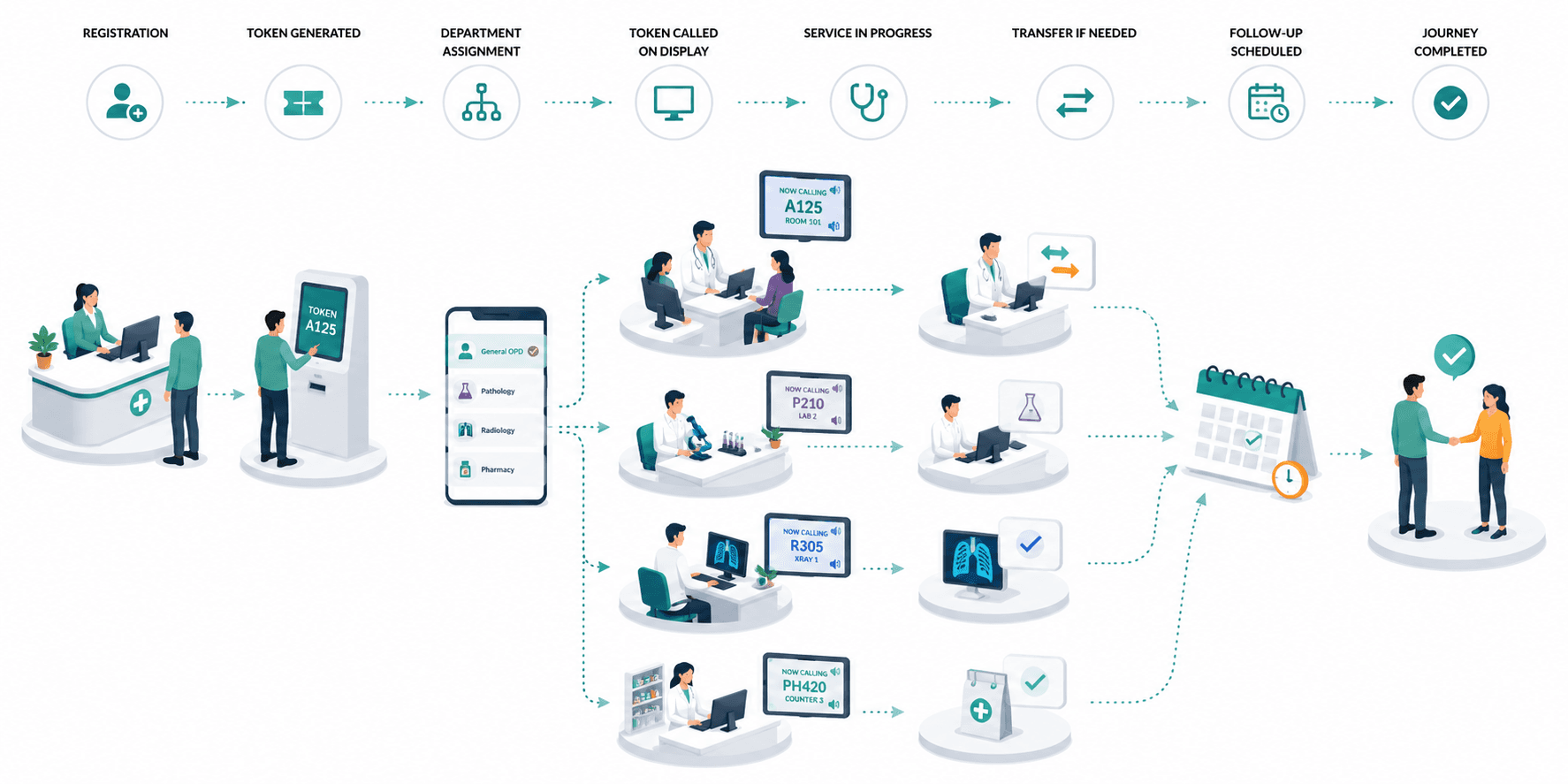
Casting screenGenerate the token, assign the right department or room, call it on display, complete clinical service, transfer when needed, and schedule follow-up without losing the patient journey.

Configure departments, doctors, shifts, rooms, TV display, and footer content from the reception admin screens.
Contact Us